Skip to content
4.8·2M+ happy users

Create anything you can imagine

Photix is the all-in-one AI image app for iPhone and iPad. Turn a few words into original art, edit any photo just by describing the change, and transform selfies into themed avatars — no design skills, accounts, or prompt expertise required.

Free to download · No account or login required · iPhone & iPad

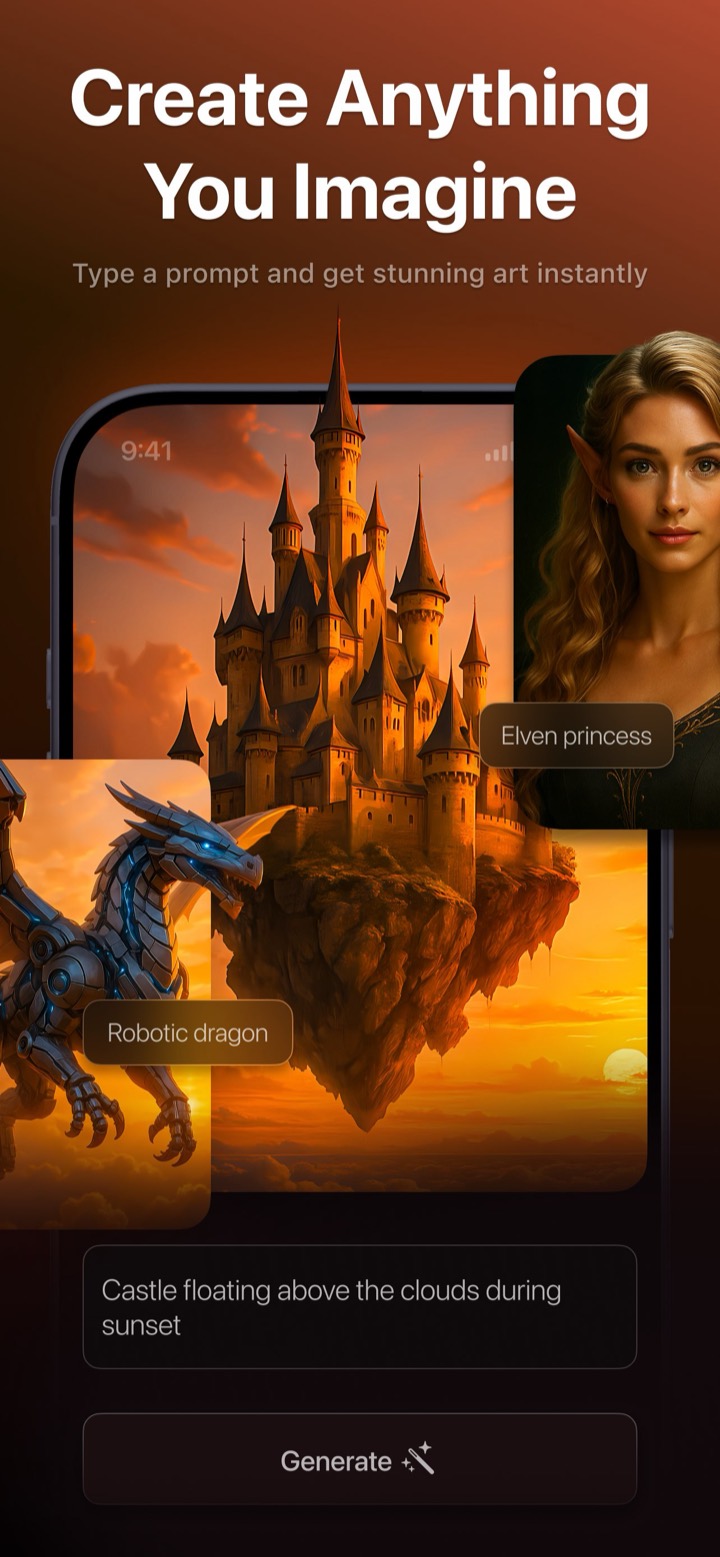
Photix AI Generate screen turning the prompt 'castle floating above the clouds during sunset' into artwork, with elven princess and robotic dragon examples
App Store rating
4.8
Happy users
2M+
Creative modes in one app
4
One-tap art styles
10
One app, four creative modes

Everything you need to create with AI

Most apps do one thing. Photix brings image generation, photo editing, and avatar creation together in a single, coherent interface built for people who just want great results.

AI Generate

Turn a sentence into stunning art

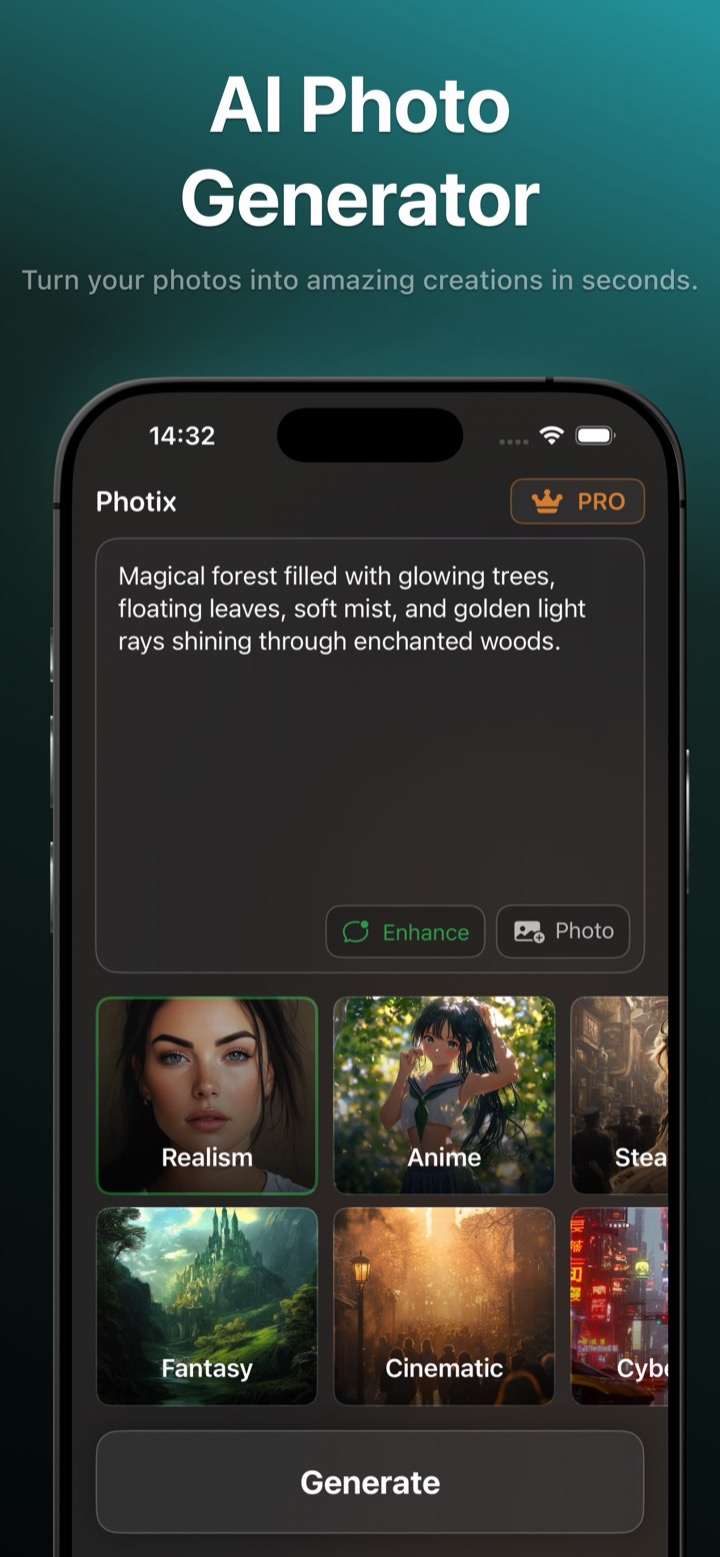
Describe a scene, a character, or a mood and Photix generates a brand-new, high-resolution image in seconds. Tap a style, attach up to two reference photos, and let the built-in Enhance Prompt option fill in the details for you.

  • Ten one-tap art styles, from Realism to Anime and Cyberpunk
  • Enhance Prompt automatically enriches your description
  • Attach up to two reference photos to guide the result
  • Regenerate for fresh variations and compare them instantly
About the AI image generator
Photix AI Photo Generator with a magical forest prompt and a gallery of art styles including Realism, Anime, Fantasy, and Cinematic
AI Edit

Edit any photo just by describing it

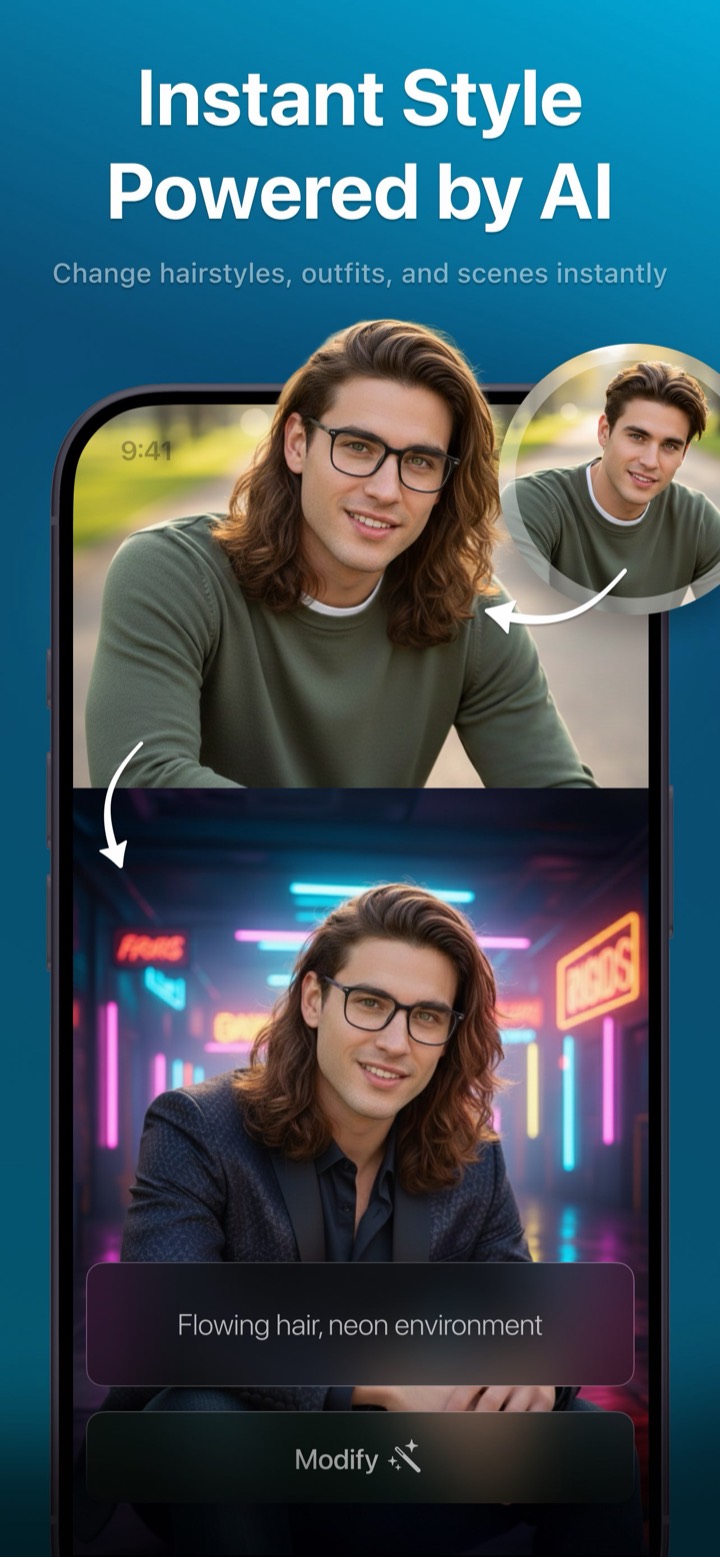
Upload a photo and type what you want changed — an outfit, a background, the lighting, the season. Every edit stacks on the last, so you can sculpt an image conversationally without ever touching a layer or a slider.

  • Plain-language edits: “add a red beret”, “make it autumn”
  • Iterative, multi-step editing that builds on each result
  • Blend two reference photos into one perfect image
  • Navigate variants and save the one you love
About the AI photo editor
Photix changing a man's portrait to flowing hair in a neon environment using an AI edit
AI Avatar

Turn a selfie into a themed portrait

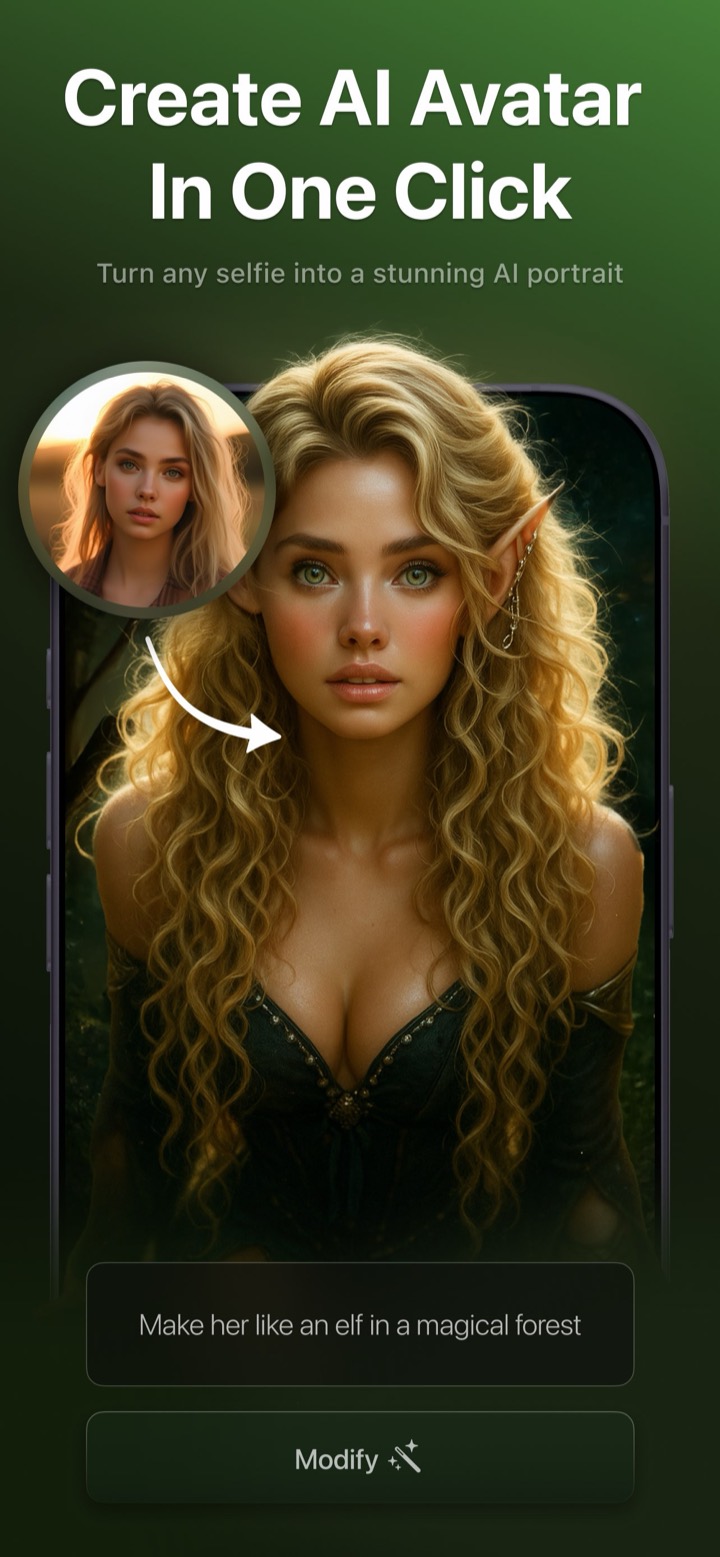
Pick a template — Superhero, Renaissance Noble, Anime Hero, High Fashion — add a selfie, and Photix returns a polished, share-ready portrait. Face detection checks your photo up front so you never waste a generation.

  • Dozens of templates across Fashion, Historical, and more
  • Face-aware: confirms a usable selfie before generating
  • Editable prompts let you fine-tune each look
  • One tap to save to Photos or share anywhere
About the AI avatar maker
Photix AI Avatar turning a selfie into a fantasy elf portrait in a magical forest
Art styles

Ten looks that do the prompt engineering for you

Every style is a curated recipe. Tap one and the same idea takes on a completely different feel — no prompt-writing skill needed.

  • Realism

    Photorealistic, natural lighting, ultra-HD detail.

  • Fantasy

    Glowing magic, mythical creatures, ethereal atmosphere.

  • Anime

    Cel-shaded, bold outlines, expressive characters.

  • Cinematic

    Dramatic lighting, film grain, widescreen mood.

  • Steampunk

    Brass gears, Victorian machinery, ornate detail.

  • Cyberpunk

    Neon light, high-tech, retro-futuristic cityscapes.

  • Vintage

    Grainy film, faded tones, nostalgic retro photo look.

  • Paint

    Hand-drawn brushstrokes, warm painterly tones.

  • Illustration

    Bold outlines, comic and halftone shading.

  • Pixel Art

    8-bit retro-game blocks and limited palettes.

How it works

From idea to share-ready image in four taps

The same simple rhythm powers every creative mode in Photix.

  1. 01

    Describe or choose

    Type an idea, pick a one-tap style, or select an avatar template. No blank page — every mode gives you a starting point.

  2. 02

    Add a photo (optional)

    Attach a selfie or up to two reference photos to guide the result, or skip straight to generating from text alone.

  3. 03

    Tap Generate

    A friendly '~10 seconds remaining' countdown reassures you while Photix enhances the prompt and runs the AI model.

  4. 04

    Refine, save, or share

    Zoom in, regenerate for new variants, compare them in the history strip, then download to Photos or share anywhere.

Use cases

What people create with Photix

Whether you're posting content, refreshing a profile picture, or editing a photo, Photix meets you where your imagination is.

Creators & social media users

Scroll-stopping social media content

The problem — You need fresh, on-trend visuals for Instagram, TikTok, and Stories, but stock photos look generic and design tools take too long.

With Photix — Generate original art or restyle your own photos with one-tap styles, then share straight to any app from the native share sheet.

Type 'neon skyline reflected in a rainy street, cinematic' and post the result to your Story in under a minute.

Explore AI Image Generator
Anyone refreshing their PFP

A profile picture that isn't just a filter

The problem — Everyone uses the same filters. You want a profile picture that actually looks like a different, elevated version of you.

With Photix — Choose an avatar template, add a selfie, and get a themed portrait — superhero, anime, high fashion, or Renaissance noble — ready for any platform.

Turn a phone selfie into a High Fashion editorial headshot for LinkedIn, or an Anime Hero avatar for Discord.

Explore AI Avatar Maker
Everyday photo editors

Quick photo edits without Photoshop

The problem — You want to change one thing in a photo — an outfit, the background, the lighting — but pro editors are overwhelming and slow.

With Photix — Describe the change in plain language and Photix applies it. Stack edits one after another until the photo is exactly right.

Upload a portrait and type 'add a red beret and change the background to Paris', then 'make it look like autumn'.

Explore AI Photo Editor
Why Photix

Built to remove every barrier to creating

No skills required

Curated styles, avatar templates, and automatic prompt enhancement mean impressive results without design talent or prompt-writing know-how.

Everything in one app

Generate, edit, and avatar creation live under one coherent interface — most apps do only one of the three.

Conversational editing

Edits stack on each other, so you refine an image step by step in plain language instead of wrestling with layers and tools.

Results in seconds

A friendly countdown keeps you comfortable while the AI works, and finished images are one tap from your photo library or a share sheet.

Face-aware avatars

Photix confirms a face is present before generating, so you never waste a creation on an unusable photo.

Made for iPhone and iPad

A polished, dark-themed interface that adapts cleanly from a phone in your hand to a larger iPad canvas.

Photix is for you if you've ever thought…

  • “I have an idea but can't draw or design.”
  • “I want a cool profile picture that isn't just a filter.”
  • “I want to edit a photo but Photoshop is overwhelming.”
  • “I don't know how to write good AI prompts.”
  • “I want results fast, on my phone, ready to share.”
Loved by creators

Join 2M+ people already creating

Photix holds a 4.8-star rating in the App Store. Here's what a few of them say.

I made a superhero version of myself for my profile in about thirty seconds. My whole group chat downloaded it after.
Maya R.Content creator
I finally edited a photo without opening Photoshop. I just typed what I wanted changed and it worked.
Daniel K.Small business owner
The styles do all the hard work. I type a few words, tap Cinematic, and it looks like a movie poster.
Priya S.Hobbyist artist
The AI Journey family

More AI creativity beyond Photix

Photix is part of a broader suite of AI creativity apps. Explore the companions built by the same team.

Free to start

Download free and start creating

Photix is free to download and free to use. Make original art, avatars, and edits from your very first minute — no account, no credit card, and no design skills required.

FAQ

Frequently asked questions

Everything you need to know to get started. See the full FAQ.

What is Photix?
Photix is an iOS app that lets anyone create, transform, and restyle images with AI. From a single text description or a photo, you can generate original artwork, edit pictures by describing changes, and turn selfies into themed avatars — all in a friendly, tap-and-type interface with no design skills required.
Do I need any design or prompt-writing experience?
No. Photix is built for people with no design background. Ten curated art styles and dozens of avatar templates give you great results out of the box, and the Enhance Prompt toggle can automatically enrich your description so you never have to learn 'prompt engineering'.
Is Photix free?
Yes — Photix is free to download and use with usage limits, ads, and a small watermark on saved images. The Photix PRO subscription unlocks unlimited, ad-free, watermark-free creation with priority processing.
Which devices does Photix support?
Photix runs on iPhone and iPad. The layout adapts to larger screens so you get a comfortable canvas on iPad as well as your phone.
Do I need to create an account?
No. Photix has no logins or accounts. You can start creating immediately, and your PRO status is stored on your device.

Create your first image today

Download Photix free and turn your imagination into share-ready art in seconds.

Rated 4.8 by 2M+ happy users